How to Set Up Kemo IPTV on IBO Player Pro for Samsung & LG
1. Open your device App Store and search for ibo Player Pro then click "Install".

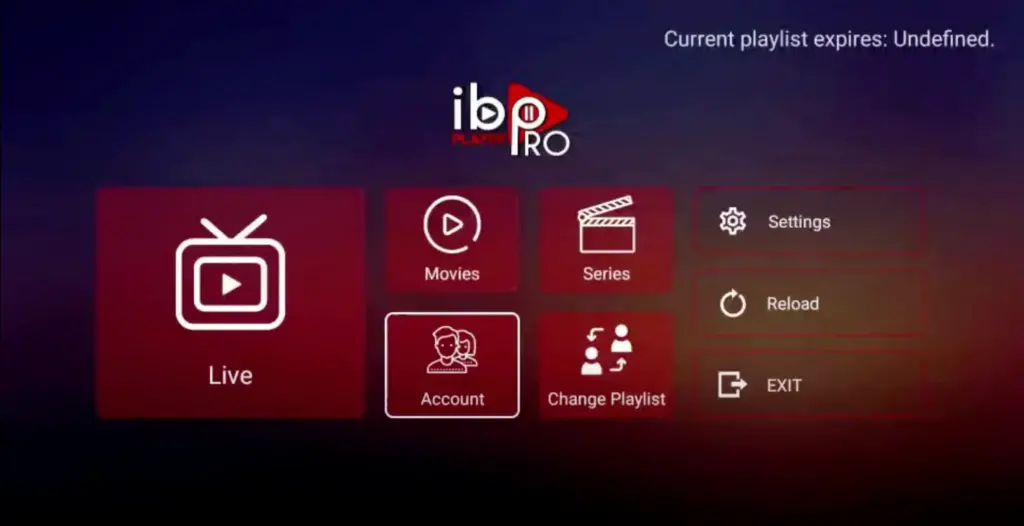
2. Open the App and Click on "Account" to see your unique activation code (MAC Address and Device Key).
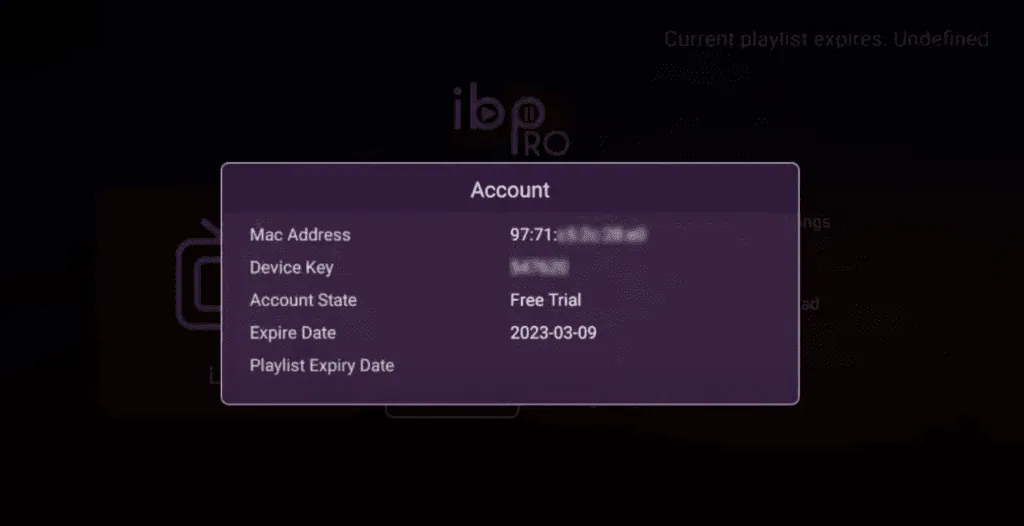
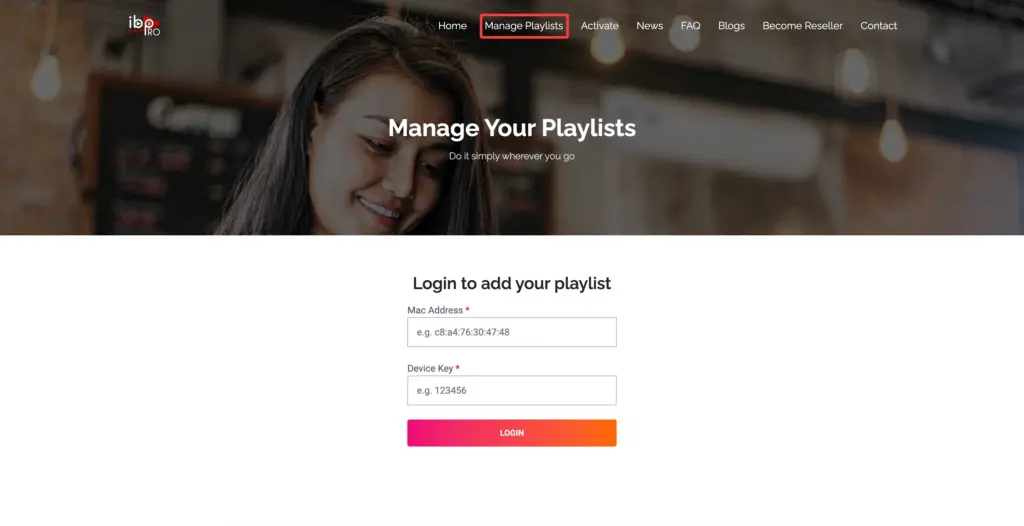
3. Visit ibo Player Pro website https://iboproapp.com and click "Manage Playlists" in the menu. Enter the MAC Address and Device Key from your TV screen and click "Login".
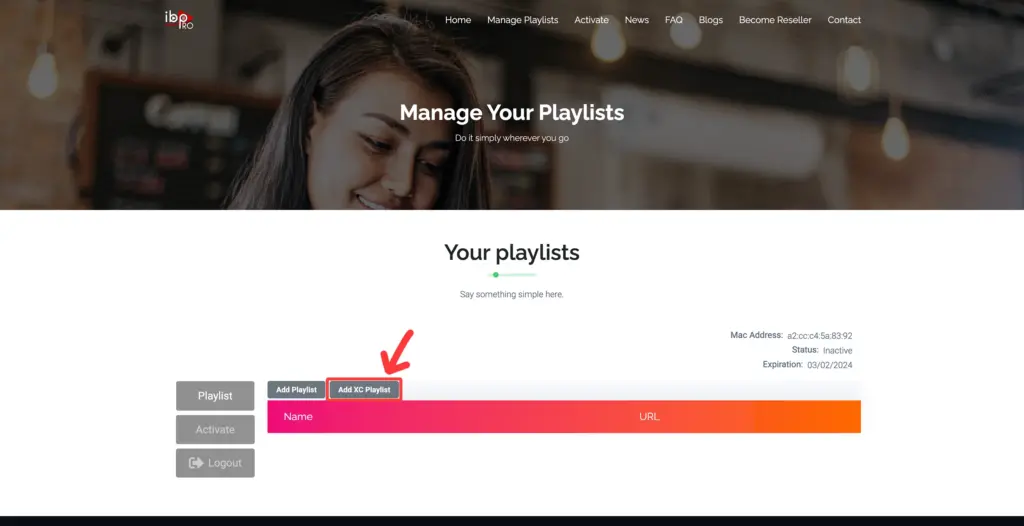
4. Click "Add XC Playlist" (Recommended Way).
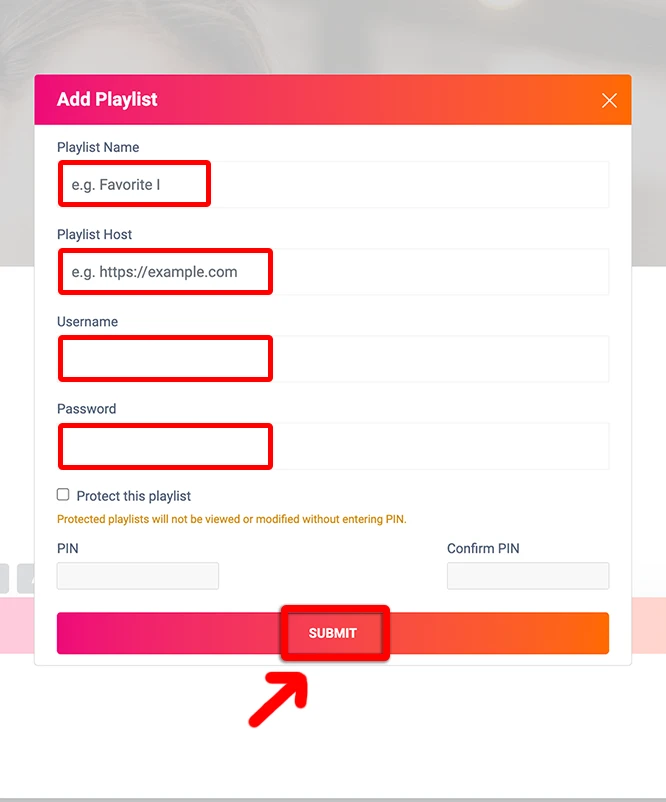
5. Enter "Kemo IPTV" as the Playlist Name in the first box. Then in the second, third, and fourth boxes, input the Xtream Codes login credentials (Server address / Playlist Host, Username, and Password) provided by us after subscribing. Finally, click "Submit" to proceed. Get Your Kemo IPTV Subscription.
6. After activation, return to your Samsung or LG Smart TV and restart the ibo Pro Player app for the changes to take effect. Then, select "Continue", followed by "Change Playlists", and connect to your Kemo IPTV playlist. Have a great time!
NOTE: The app has a 7-day trial period; when it expires, go to https://iboproapp.com/manage-playlists, Log in with the MAC Address and Device Key from your app, then pay the one-time activation fee.
Congratulations! You've now completed the setup of the ibo Player Pro app for seamless streaming.
Kemo IPTV on IBO Player Pro: Samsung & LG Troubleshooting
Playlist not loading after submitting credentials?
On your TV app, click the Reload button from the main menu or close and reopen the app so it re-syncs with the iboproapp.com server.
Buffering or audio lag on Samsung Tizen / LG webOS?
Go to ibo Player Pro Settings > Stream Format and ensure it is set to HLS / MPEG-TS. Also verify Hardware Decoder is turned ON.
How to add multiple playlists or backup connections?
You can add up to 5 different playlists under the same MAC Address on iboproapp.com and switch between them anytime under "Change Playlists".
Kemo IPTV on IBO Player Pro: Frequently Asked Questions
Is IBO Player Pro in the Samsung and LG app stores?
Yes. It is listed in both the Samsung Tizen store and the LG Content Store, so no sideloading is needed to run Kemo IPTV on either platform.
Where do I find the MAC address to register my playlist?
IBO Player Pro prints the MAC address and device key on its opening screen. Enter those on the playlist upload page along with the Kemo IPTV M3U link from your activation email.
How long before the channels appear on my TV?
Usually under five minutes. After uploading the playlist, exit IBO Player Pro completely and relaunch it — the Kemo IPTV channels load on the fresh start, not while the app is still open.
Does this work on older Samsung and LG televisions?
Tizen sets from 2017 onward and webOS 3.0 or newer run IBO Player Pro. On older panels, a Fire TV Stick or Android box is the reliable way to watch Kemo IPTV.