
How to Set Up Kemo IPTV on Fire TV Stick, Step by Step
To run Kemo TV service on your Firestick, simply download the Downloader app and use it to install the IPTV players. Just follow these easy steps:
1. Open the FireStick home screen.
2. Go to the Find menu page.
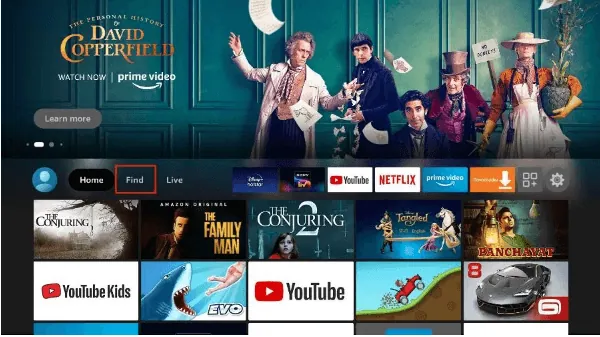
3. Select Search at the top.
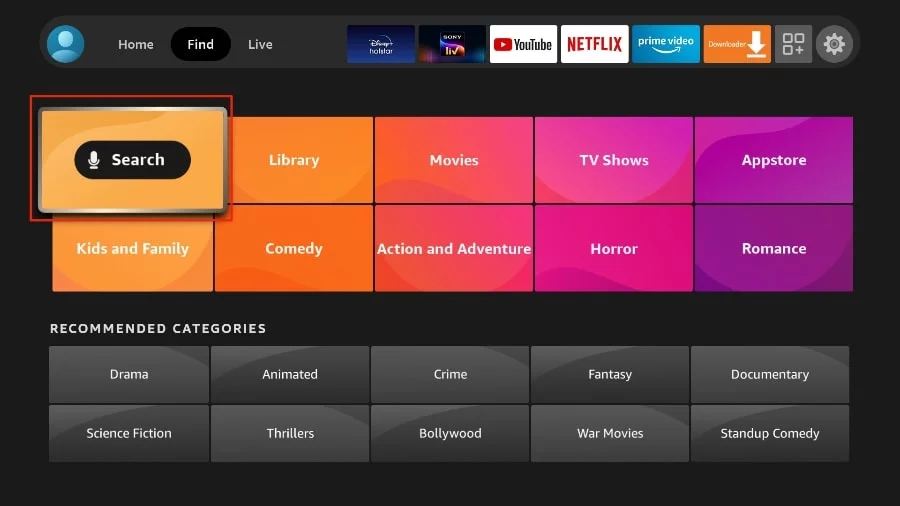
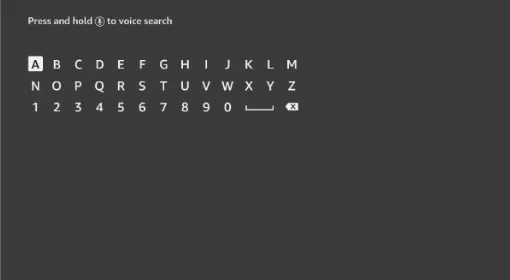
4. This will open a virtual keyboard on your FireStick.
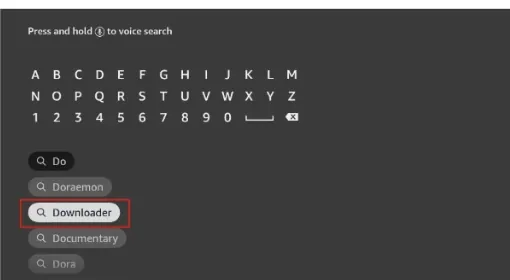
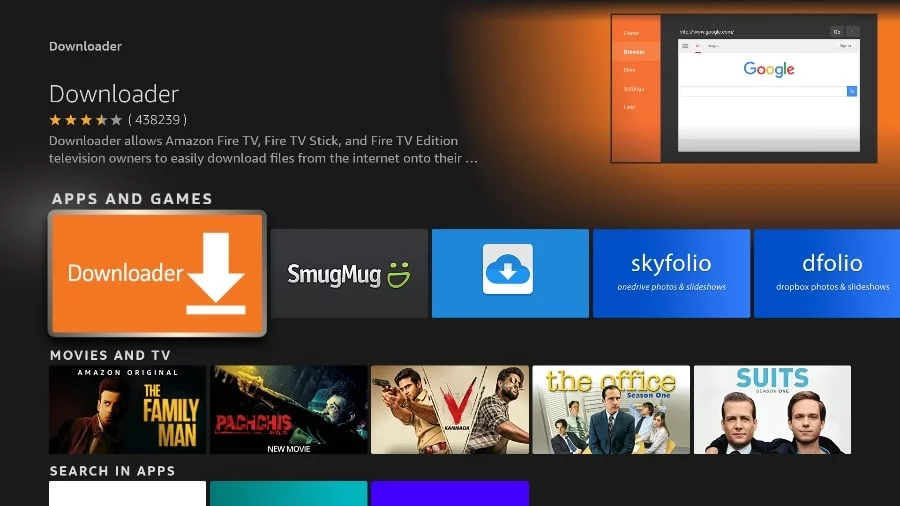
5. Start typing Downloader. Select Downloader when it appears among the suggestions below the keyboard.
6. Select the Downloader application, recognizable by its orange background. Then, in the next screen, select Download button.
In some version of FireStick
1. Press home button on your FireStick remote.
2. Go to the gear settings page on the far right.
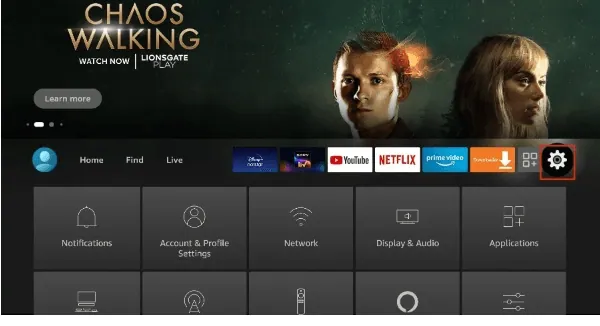
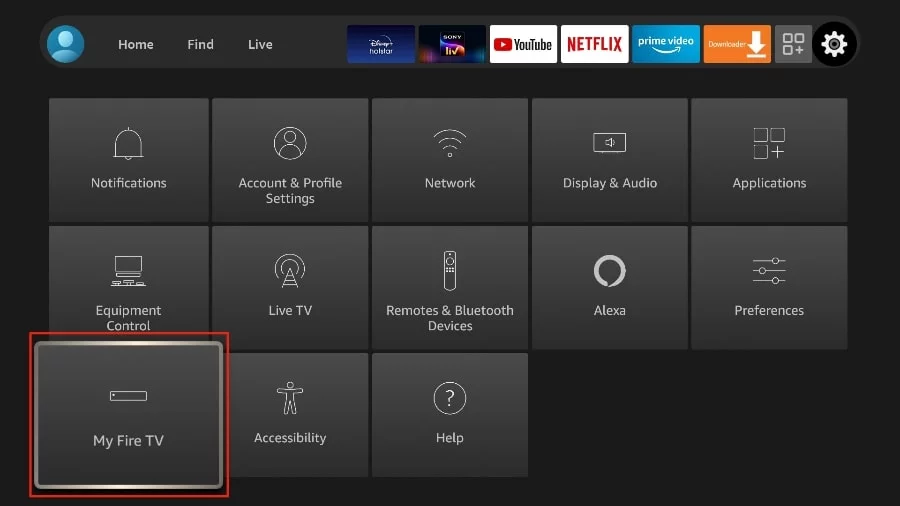
3. Scroll down and select "My Fire TV".
4. Choose "Developer Options".
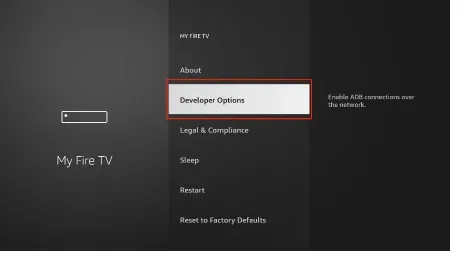
5. Find "Apps from Unknown Sources". By default, it is disabled. Select it to turn it ON.
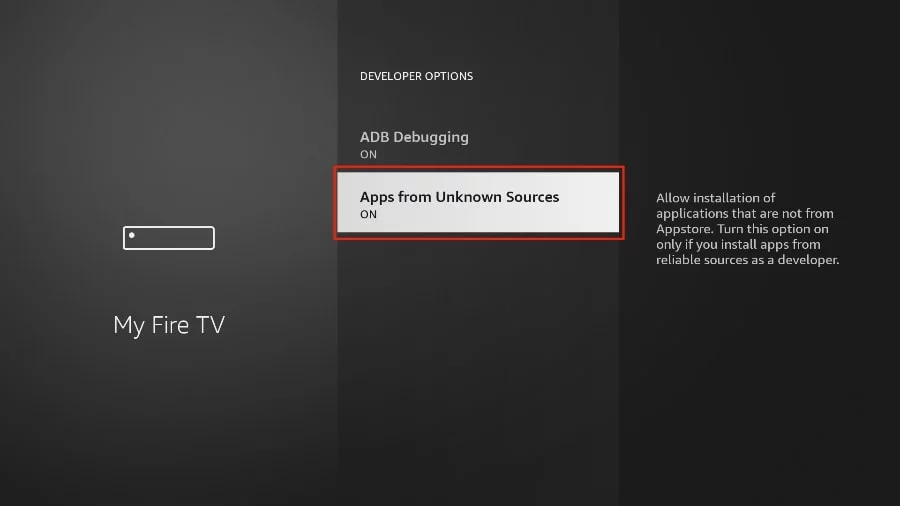
You can now sideload any application installer file (APK) to the FireStick without any issues.
In Other version of FireStick
1. Press home button on your FireStick remote.
2. Go to the gear settings page on the far right.
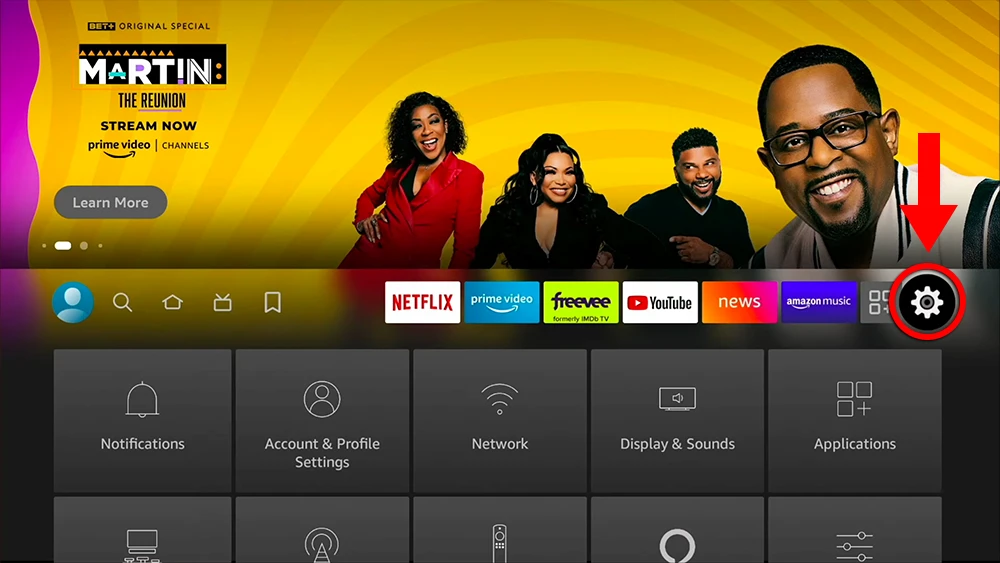
3. Scroll down and select "My Fire TV".
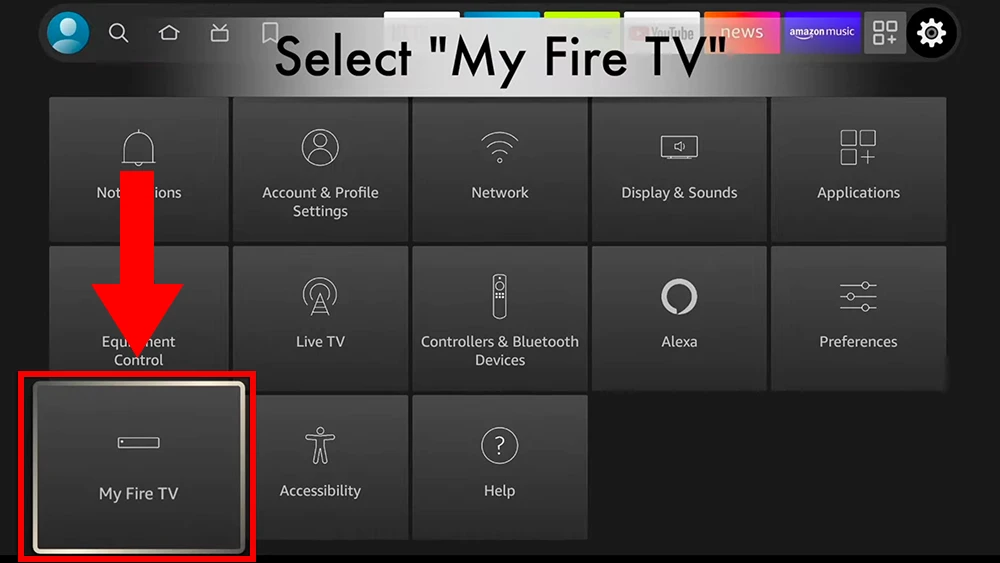
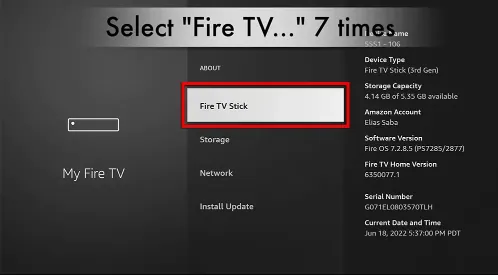
4. Select "About".
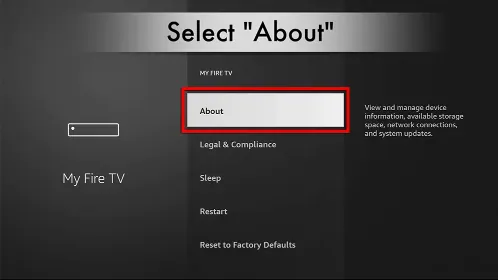
5. Click on "Fire TV Stick" 7 times.
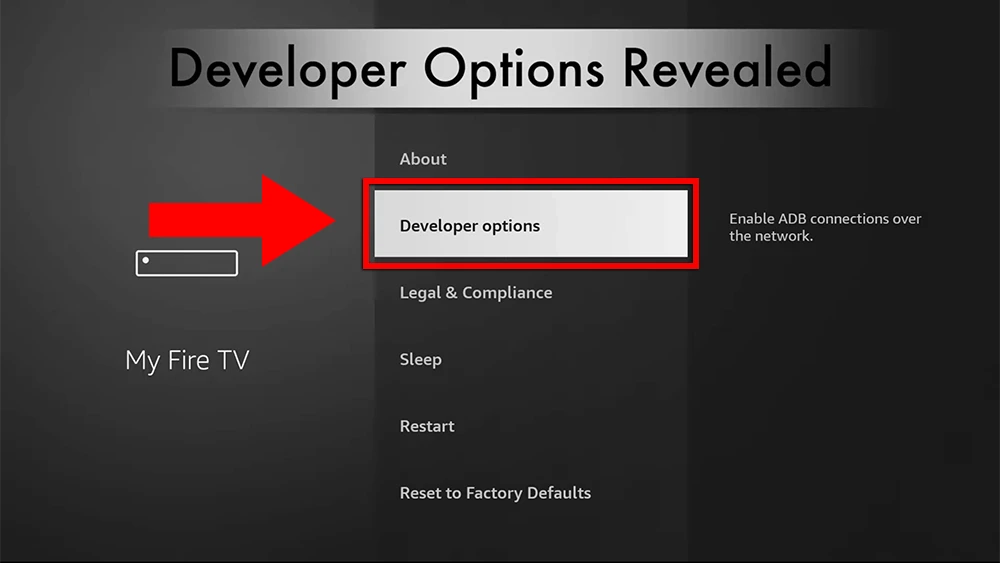
6. Choose "Developer Options".
7. Select "ADB debugging" to turn it ON.
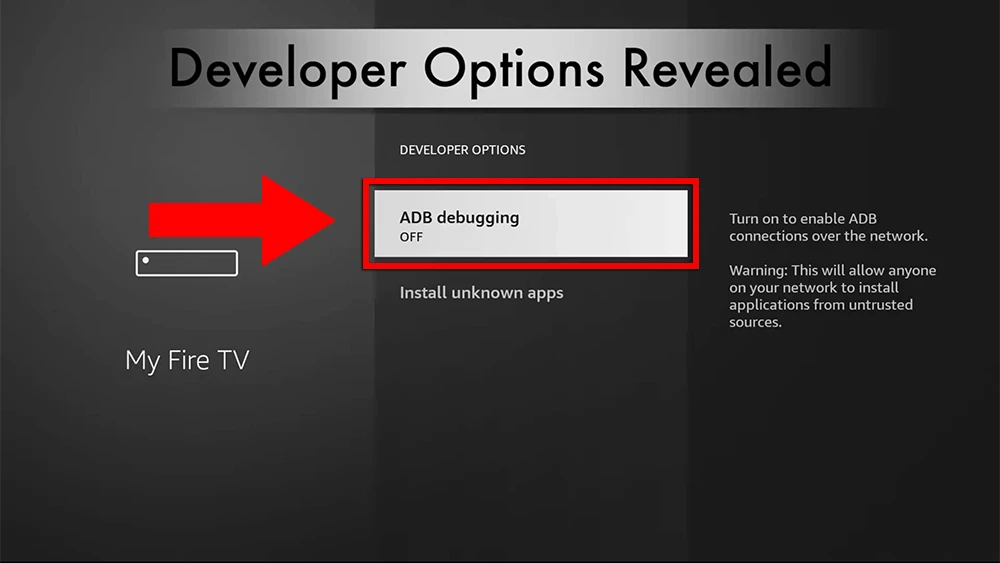
You can now sideload any application installer file (APK) to the FireStick without any issues.
Here are the popular Firestick apps

TiviMate (Paid)
TiviMate is considered a paid app and it comes highly recommended for its advanced features(Recording, Picture-in-Picture...). With a single premium subscription, you can use the app on a maximum of 5 devices.
TiviMate Setup Guide
ibo Pro Player (Paid)
The Ibo Pro Player is a streamlined IPTV app for streaming live TV, movies, and on-demand. It offers a 7-day free trial period before asking for a one-time payment.
IBO Player Pro Guide
IPTV Smarters Pro (Free)
IPTV Smarters Pro is a free IPTV app to watch live TV, Movies & Series.
IPTV Smarters Pro Guide"P.S. You can download any IPTV app you want, Our Service work on any app or Device, The apps above just the recommended apps"
Kemo IPTV on Firestick: Troubleshooting & Pro Tips
Stream Buffering or Freezing?
Ensure your Firestick is connected to a 5GHz Wi-Fi band or use an Amazon Ethernet adapter. Kemo IPTV uses Anti-Freeze 9.3+ technology to keep latency under 15ms.
Developer Options Missing on New Fire OS?
Amazon hid Developer Options by default in newer Fire OS updates. Go to Settings > My Fire TV > About, hover over Fire TV Stick, and click it 7 times with your remote to unlock Developer Options.
"URL Cannot Be Reached" in Downloader?
Double check that you entered the URL / Downloader code exactly as given with no typos. Ensure Downloader has Storage permissions enabled in Firestick settings.
Kemo IPTV on Firestick: Frequently Asked Questions
Which app is best for Kemo IPTV on a Firestick?
IPTV Smarters Pro and TiviMate are the two we recommend. Smarters Pro is quicker to set up; TiviMate has the better TV guide and adds recording once you buy its premium licence. Both accept Kemo IPTV Xtream Codes.
Do I need to jailbreak my Firestick?
No. Kemo IPTV runs through an ordinary player app. You only switch on “apps from unknown sources” so Downloader can install that player, which is a standard Fire TV setting rather than a jailbreak.
How long does the whole setup take?
About five minutes from a factory Firestick: enable unknown sources, install Downloader, sideload your player, then enter the Kemo IPTV Xtream Codes we email you.
Will Kemo IPTV run on a 4K Firestick?
Yes, and it is the better device for it. The Fire TV Stick 4K and 4K Max handle Kemo IPTV 4K streams comfortably; the basic Lite model is best kept to 1080p.